
Download I IMAGINE – AI Creativity Suite, Free Trial, Secure Online Tool
Overview
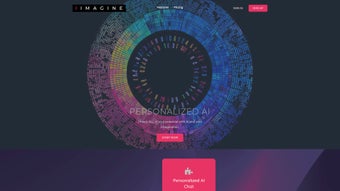
I IMAGINE is a subscription‑based web application that places the power of artificial intelligence directly in the hands of creators, marketers, developers, and business owners. Built on a modern cloud architecture, the platform offers a unified dashboard where users can switch between several specialist AI agents—each trained for a distinct business scenario. Whether you need a conversational chatbot to handle customer queries, a text generator that drafts blog posts in seconds, an image generator that conjures photorealistic visuals from a simple prompt, or a code generator that writes snippets in your favorite language, I IMAGINE delivers them through a clean, responsive interface that works on any modern browser.
The core philosophy behind I IMAGINE is to eliminate the repetitive, time‑consuming steps that traditionally separate imagination from execution. By integrating AI across the content lifecycle—research, ideation, creation, and refinement—the tool helps users move from concept to finished product with dramatically fewer clicks. The subscription model includes tiered access: a free trial that unlocks limited daily credits for each generator, a “Creator” plan for freelancers and small teams, and an “Enterprise” package that adds team collaboration, API access, and priority support.
Security and privacy are baked into the service. All data transmitted between the browser and I IMAGINE’s servers is encrypted with TLS 1.3, and the platform complies with GDPR and CCPA standards, giving businesses confidence that proprietary ideas and customer data remain confidential. Continuous updates are rolled out automatically, meaning users always benefit from the latest AI model improvements without manual patching.
In practice, users report that I IMAGINE reduces content‑creation time by up to 70 % and accelerates prototyping for software projects. The platform’s versatility makes it suitable for a broad spectrum of use‑cases: social‑media managers can generate eye‑catching graphics on the fly, copywriters can brainstorm headline variations, and developers can receive boilerplate code for APIs instantly. This holistic approach positions I IMAGINE as a one‑stop shop for anyone who wants to harness AI to unlock their full creative potential.
Key Features
- Multi‑Specialist AI Chatbots – Tailored bots for sales, support, HR, and marketing that understand context‑specific terminology.
- AI Text Generator – Generates articles, product descriptions, emails, and ad copy with adjustable tone and length.
- AI Image Generator – Creates high‑resolution illustrations, logos, and concept art from textual prompts, supporting styles from minimalist to hyper‑realistic.
- AI Code Generator – Produces clean, commented code snippets in Python, JavaScript, Java, C#, and more, with optional framework selection.
- Prompt Library & Templates – Pre‑built prompts for common tasks, allowing users to start instantly without learning prompt engineering.
- Collaboration Workspace – Share generated assets with team members, leave comments, and track revision history.
- Usage Analytics Dashboard – Real‑time insight into token consumption, most used generators, and ROI calculations.
- API Access (Enterprise) – Integrate I IMAGINE’s capabilities into internal tools, CMS platforms, or custom workflows.
- Secure Cloud Storage – All generated content is saved in encrypted storage for 30 days, with optional export to Google Drive or Dropbox.
- Continuous Model Updates – Benefit from the latest GPT‑4 and diffusion model improvements without manual upgrades.
The feature set of I IMAGINE is deliberately expansive, yet each tool lives within a coherent UI that minimizes learning curves. The multi‑specialist chatbots, for example, are organized into tabs labeled “Sales,” “Support,” “HR,” and “Marketing,” allowing users to select the appropriate persona with a single click. The text, image, and code generators share a common prompt bar, but underneath they route the request to the most suitable model—whether that’s a large language model for prose or a diffusion model for visual assets.
One of the standout capabilities is the Prompt Library, which houses over 200 ready‑made prompts curated by industry experts. A content marketer can instantly pull a “30‑day blog calendar” prompt, while a developer can select a “REST API endpoint skeleton” template. This library eliminates the trial‑and‑error phase that often accompanies AI experimentation, making the tool feel more like a professional assistant than a novelty.
Collaboration features are built for modern, distributed teams. Generated assets can be tagged, grouped into folders, and shared via a secure link that respects role‑based permissions. Team members can comment directly on an image or a code snippet, fostering a feedback loop that stays inside the platform rather than spilling over into email threads or third‑party messengers.
Finally, the analytics dashboard provides actionable data. Users can see how many tokens were spent on image generation versus text, compare the cost per piece of content, and even calculate time saved based on their historical workflow. This transparency is crucial for businesses that need to justify AI expenditures to stakeholders.
Installation, Compatibility & Pros/Cons
Because I IMAGINE is a cloud‑native web application, there is no traditional installation process. Users simply need a modern browser (Chrome, Edge, Firefox, or Safari) and an active internet connection. Below is a step‑by‑step guide to get started quickly:
- Create an Account – Visit iimagine.com and click “Sign Up.” Provide a valid email address, set a strong password, and verify your account through the confirmation link.
- Select a Plan – After verification, you’ll be directed to the pricing page. Choose the “Free Trial” to receive 5 000 daily credits across all generators, or pick a paid tier for unlimited access. Payment is processed securely via Stripe, supporting Visa, MasterCard, and PayPal.
- Configure Your Workspace – Once logged in, the dashboard appears. Navigate to “Settings” → “Preferences” to set default language, tone, image resolution, and code style. You can also connect cloud storage services for automatic export.
- Explore the Prompt Library – Click the “Prompt Library” tab. Browse categories (e.g., “Marketing,” “Development,” “Design”) and click a prompt to load it into the main input field. Adjust variables as needed (e.g., target audience, brand voice).
- Generate Content – Choose the appropriate generator tab (Text, Image, Code, or Chatbot). Paste or type your prompt, select any advanced options (temperature, creativity level), and press “Generate.” The AI will process the request, typically within 5‑15 seconds for text and 15‑30 seconds for images.
- Review & Refine – Results appear in a preview pane. Use the “Edit” button to tweak the output or regenerate with a slightly altered prompt. For images, a simple “Regenerate” or “Adjust Style” option is available.
- Save & Share – Click “Save to Workspace” to store the asset. Use the “Share” icon to generate a secure link or invite teammates directly from the platform.
- Monitor Usage – The “Analytics” tab displays real‑time credit consumption. Set alerts in “Settings” to receive email notifications when you approach your daily limit.
For power users, I IMAGINE offers a RESTful API (Enterprise tier only). Documentation can be accessed from the “Developers” section and includes example curl commands, authentication via API keys, and rate‑limit details. Integration examples cover common use‑cases such as auto‑populating CMS fields with AI‑generated copy or embedding the image generator into a design tool.
I IMAGINE runs on any device with a modern web browser, making it compatible with Windows 10/11, macOS Ventura and later, Linux distributions (Ubuntu, Fedora, etc.), as well as mobile platforms like Android 12+ and iOS 15+. Because the application is cloud‑hosted, there are no system‑specific binaries to install, and performance is largely dependent on internet speed rather than local hardware. For users who prefer a native feel, I IMAGINE also provides progressive web app (PWA) support, allowing you to “install” the service on desktop or mobile and launch it from your operating system’s app drawer.
Pros
- All‑in‑One AI Suite – Text, image, code, and chatbot tools are consolidated under a single login.
- Zero‑Installation – Accessible from any browser; no downloads or updates required.
- Rich Prompt Library – Hundreds of ready‑made prompts accelerate workflow.
- Collaboration Features – Team workspaces, comments, and secure sharing streamline group projects.
- Transparent Pricing – Clear tiered plans with a generous free trial.
- Secure & Compliant – TLS 1.3 encryption, GDPR/CCPA compliance, and encrypted storage.
- Scalable API – Enterprise users can embed AI capabilities into existing software stacks.
- Continuous Model Updates – Always benefit from the latest AI research without manual intervention.
Cons
- Internet Dependency – Requires a stable connection; offline usage is not possible.
- Learning Curve for Advanced Settings – While basic use is simple, mastering temperature, top‑p, and prompt engineering may take time.
- Cost for Heavy Users – High‑volume enterprises may find the subscription fees significant compared to self‑hosted open‑source alternatives.
- Limited Export Formats – Currently supports PNG/JPEG for images and plain text/markdown for generated copy; advanced formats like SVG or PDF require manual conversion.
- API Access Restricted to Enterprise Tier – Smaller teams must upgrade to gain integration capabilities.
Frequently Asked Questions
What is the difference between the free trial and paid plans?
The free trial grants 5 000 daily credits that are shared across the text, image, and code generators. It is ideal for testing the platform’s capabilities. Paid plans (Creator and Enterprise) provide unlimited credits, higher priority processing, team collaboration tools, and, for Enterprise, API access and dedicated account management.
Can I use I IMAGINE on my mobile device?
Yes. The web app is fully responsive and works on Android and iOS browsers. Additionally, you can install the progressive web app (PWA) version, which adds an app‑like shortcut on your home screen for quicker access.
How does I IMAGINE protect my data and generated content?
All data transmission uses TLS 1.3 encryption. Generated assets are stored in encrypted cloud storage for 30 days, after which they are automatically purged unless you export them. The platform complies with GDPR and CCPA, and you can delete your account and all associated data at any time via the account settings.
Is there an API for developers who want to embed AI functions?
An API is available exclusively for Enterprise subscribers. It uses standard REST conventions, supports API‑key authentication, and includes rate‑limit controls. The documentation provides code examples for common integrations such as auto‑filling CMS fields or generating design assets from within other SaaS tools.
Do I need any special software to run I IMAGINE?
No special software is required. A recent version of Chrome, Edge, Firefox, or Safari is sufficient. Because everything runs in the browser, the tool works on Windows, macOS, Linux, Android, and iOS without additional installations.
Conclusion & Call to Action
In a marketplace flooded with single‑purpose AI tools, I IMAGINE stands out by delivering a truly integrated experience. The text generator produces SEO‑friendly copy in seconds, the image generator supplies on‑brand visuals without a designer, and the code generator helps developers spin up functional snippets without leaving the browser. The collaboration workspace removes the friction of sharing and reviewing assets, making remote teams feel as cohesive as a co‑located studio.
If you are looking for a way to accelerate content production, reduce reliance on multiple subscriptions, and keep your data safe, the free trial of I IMAGINE is the perfect place to start. Sign up today, explore the Prompt Library, and see how quickly you can move from idea to finished asset—all without installing a single program.
Start your free trial now and experience the future of AI‑driven productivity.



.png)



